E Shikshakosh Mobile App Guide Features Login
E-Shikshakosh Mobile App Guide Features Login Mobile App is a groundbreaking tool for government school teachers, aided-school educators, and staff of recognized private institutions in Bihar. Designed to simplify administrative tasks and improve access to essential services, the app brings the power of the E-Shikshakosh portal to your fingertips.
From marking attendance to accessing salary slips and completing training modules, the app ensures teachers remain connected to Bihar’s educational ecosystem, even while on the move. This guide explains the app’s features, login process, and step-by-step usage, helping teachers make the most of this digital platform.
Top Features of the E-Shikshakosh Mobile App
The E-Shikshakosh app offers a variety of tools that make teachers’ professional tasks easier, faster, and more efficient. Real Time Data Integration in E Shikshakosh Revolutionizes.
Salary details
Attendance records
Notifications from the Education Department
Access to Salary Slips
Visit the Official Website
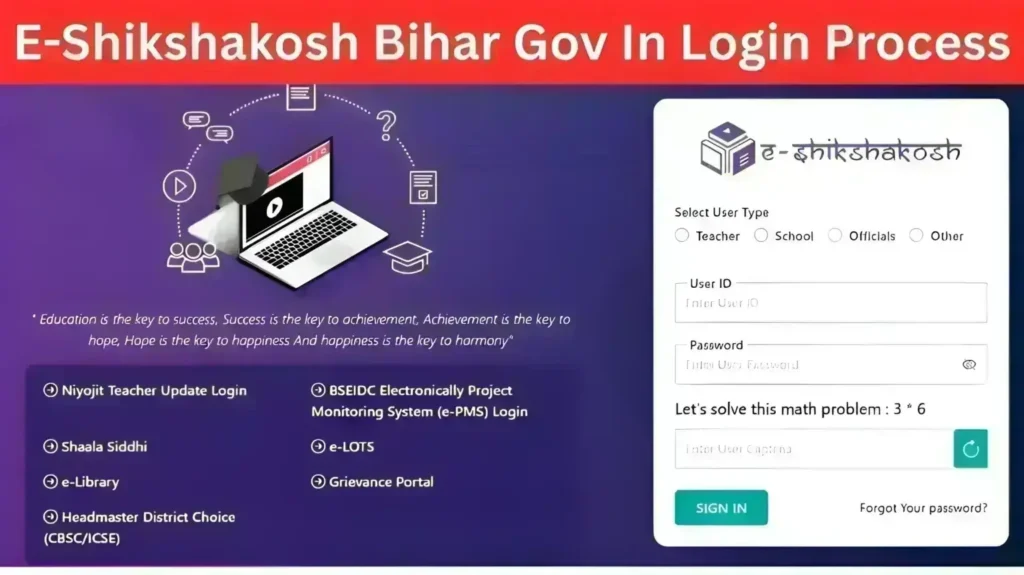
Go to https://eshikshakosh.bihar.gov.in
On the login page, select User Type: School
Start New Registration
Click “New School Registration”
Only the Principal/Headmaster can perform this process
Uploading scanned documents
Checking KYC approval status
Correcting mismatched information
View and download monthly salary slips
Track salary history
Check allowances and deductions
Training Module Integration
Access video tutorials and workshops
Complete mandatory modules
Download certificates directly to their device
Track their progress
Official circulars
Policy updates
Training schedules
School-related announcements
This ensures that no important information is missed.
Login to the E Shikshakosh Mobile App
Download the E-Shikshakosh app from Google Play Store (Android) or Apple App Store (iOS).
Ensure your device meets the minimum system requirements
Tap the E-Shikshakosh icon on your device.
The app will prompt you to enter login credentials.
Input your Teacher ID and password.
Ensure your registered mobile number is active for OTP verification.
Enter the OTP sent to your registered mobile number.
Confirm to complete the login process.
Use the E Shikshakosh Mobile App
Navigate to the Attendance section.
Select the date and class.
Submit student attendance digitally.
Go to the Salary tab.
Select the month and year.
Download or view your salary slip instantly.
Open the Training section.
Select the module (e.g., NISHTHA 4.0).
Watch videos, complete quizzes, and download certificates.
Navigate to the KYC tab.
Upload required documents (Aadhaar, appointment letter, address proof).
Submit for verification and track approval status.
FAQs
Final Words
The E-Shikshakosh Mobile App has transformed the way teachers in Bihar access essential educational and administrative services. By bringing tools such as attendance management, salary slips, training modules, and notifications directly to mobile devices, the app saves time, reduces paperwork, and improves efficiency. It is a user-friendly platform designed to support teachers regardless of their technical experience or location.
As Bihar continues to advance its digital education initiatives, the E-Shikshakosh Mobile App will remain a central tool for teacher empowerment. With real-time updates, seamless service access, and training resources available on the go, educators can focus more on teaching effectively while staying connected to the state’s education ecosystem.


